
Personal Agent Access
Let your own Agent join conversations with permission, read messages, send replies, and write back results.
 DirextalkGet Dirextalk
Dirextalk brings private chats, group chats, channels, and voice calls into one self-hosted communication service, with support for your own Agent. Use your domain as the entry point, keep your data under your control, and know that Dirextalk does not collect user data to build profiles or target ads.
From personal Agent access to daily messaging, channel management, and account privacy, every core feature is built around self-hosted communication.
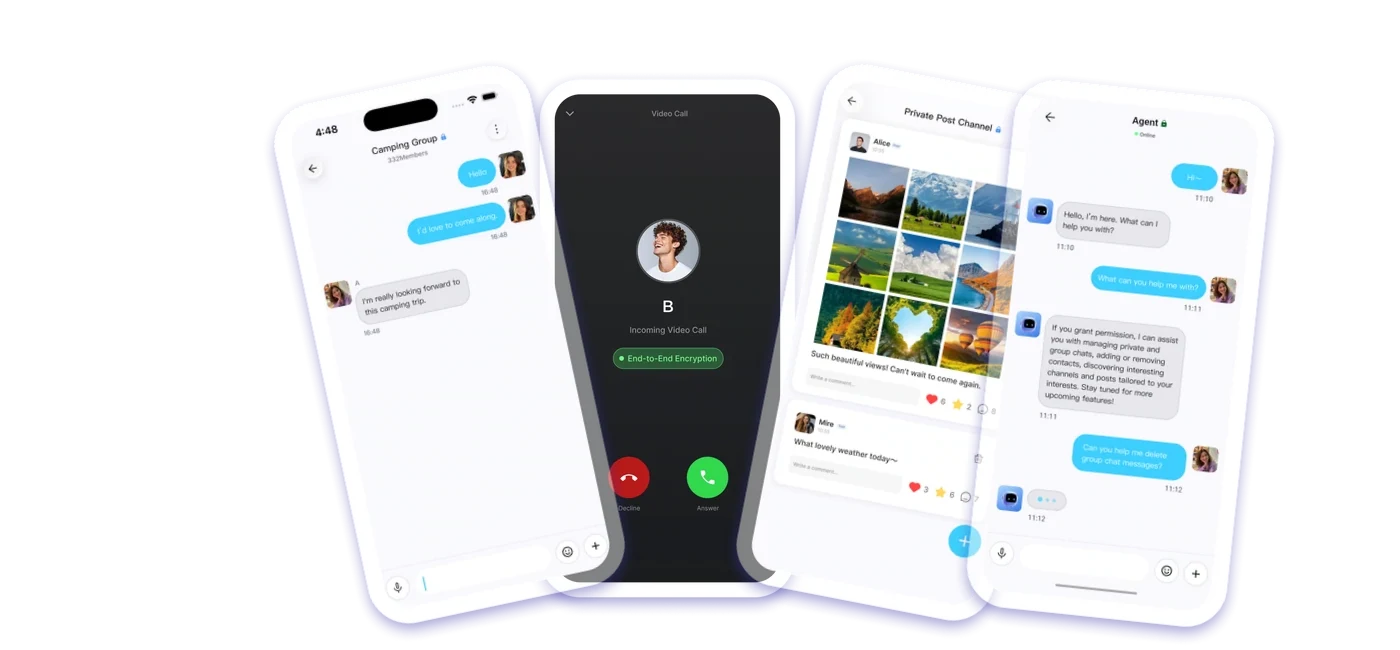
Let your own Agent join conversations with permission, read messages, send replies, and write back results.
One-to-one chats, group chats, image and file sharing, voice input, read status, forwarding, search, and message history.
Channel discovery, join review, posts, comments, announcements, and moderator workflows in the same client.
Add contacts by QR code or user domain, then manage notes, status, requests, and groups.
Profiles, identity codes, device sessions, and privacy settings stay under the user's control. Chat data runs on your own server, not on a platform host.
Use your own domain as the communication entry point, so users can sign in, discover, and connect through one trusted address.
Give the deployment Skill to your Agent. The Agent follows the Skill instructions to check your domain, cloud resources, and credentials, then deploys the Dirextalk communication service.
Get the deployment Skill from the public repository and make sure you are using the latest instructions.
Provide the Skill to your own Agent so it can follow the documented deployment workflow.
Prepare a real domain or subdomain and use it as the communication service entry point after confirmation.
Prepare the cloud account, region, credentials, quotas, and network permissions for the Agent to check.
The Agent completes the deployment from the Skill instructions and writes the credentials needed for later connection.
Install Dirextalk on mobile, connect it to your self-hosted communication service, then enter your domain and initialize the password to start using it.
For Android devices that need to connect to your self-hosted communication service.
For iPhone and iPad users connecting to their Dirextalk communication service.
Before deployment, confirm your domain, cloud resources, and Agent permissions. To connect, use the service domain you control.
Yes. Prepare a resolvable domain or subdomain for the Dirextalk communication service. Before deployment, confirm DNS, HTTPS, and cloud resource requirements.
Give the deployment Skill to your own Agent. The Agent follows the Skill instructions to check the domain, cloud resources, credentials, and network permissions, then deploys the service.
Chat data, account information, device sessions, and privacy settings run on your own server. They are not handed over to a hosted platform.
Your Agent only participates within the permissions you grant. It can read messages, send replies, or write results back according to the scenario you allow.
No. Dirextalk is designed for access and deployment outside mainland China. Deployment and use must comply with local laws, regulations, and network conditions.
Install the Dirextalk mobile app, enter the service domain you deployed, initialize the password, and start using it.